
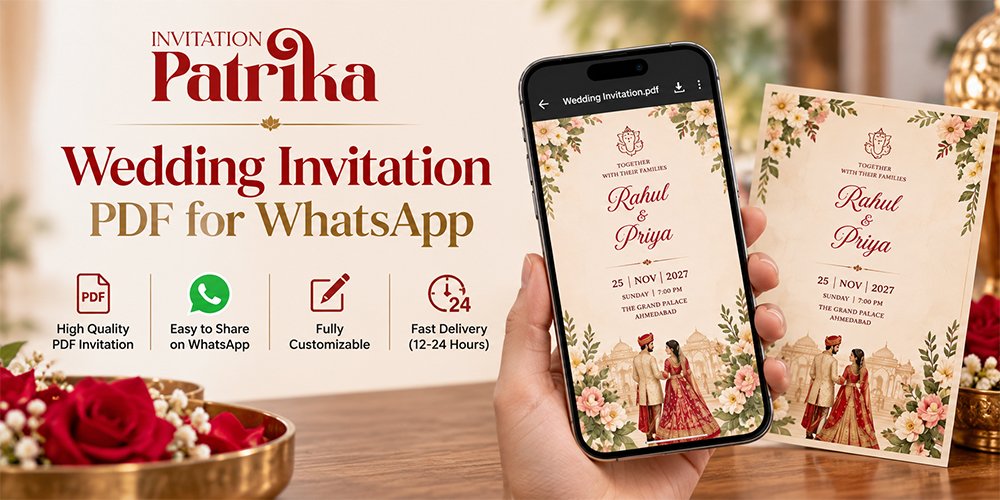
The card is ready. The guest list is ready. Then the family group asks one question that stalls everything: do we send a video or a PDF?
We hear this from almost every couple. A wedding invitation PDF for WhatsApp looks crisp, holds every event, and prints well for elders. A video feels grand and gets people talking, but it is heavier and harder to change once sent.
This guide gives you a straight answer, then the details behind it. You get a side-by-side table, a guest-by-guest plan, and simple steps to make and send each format without blurry text or failed downloads.
Quick Answer: PDF or Video for WhatsApp?
Send a PDF as your main wedding invitation, and use a short video as the teaser. A PDF keeps text sharp, fits every event on its own page, and can hold map and RSVP links. A video under one minute is best as a save-the-date or a fun extra for close friends.
If you can only afford one, pick the PDF. It reaches more guests, works on more phones, and is easier to fix if plans change. Now let's look at why.
Wedding Invitation PDF for WhatsApp: Pros and Cons
A PDF is the workhorse of digital wedding cards. It is not flashy, but it does the most jobs well.
Where a PDF Wins
- Sharp text. WhatsApp sends a PDF as a document, so it does not squash the file the way it squashes photos. Names, dates, and fine borders stay crisp.
- One page per event. Haldi, Mehendi, Sangeet, wedding, and reception can each get their own page. Guests swipe to the event they are invited to.
- Clickable links. You can add a Google Maps pin, an RSVP form, or a livestream link right inside the card. Images and videos cannot do this.
- Easy to print. Many elders still like a paper copy on the fridge. A PDF prints cleanly at home or at a local shop.
- Light on data. A well-made PDF can stay under 2 to 3 MB, even with several pages.
Where a PDF Falls Short
- It needs a tap to open. Guests see a file name, not the card, until they download it. A bare PDF with no message can look like a bill.
- Less wow. A PDF will not get the "aww" that music and motion get.
- Font trouble. Hindi, Gujarati, or Marathi text can break into odd shapes if the fonts are not embedded. We cover the fix below.
The fix for most of these is simple: always send a short, warm message with the PDF. That one step turns a file into an invitation.
Wedding Video Invitation for WhatsApp: Pros and Cons
A video invite is the showstopper. Used in the right place, it builds real excitement before the big day.
Where a Video Wins
- Instant emotion. Music, motion, and your photos land harder than any still card.
- It plays right in the chat. Guests tap once and watch. There is no file to hunt for.
- People share it. A good video gets forwarded, posted on Status, and talked about in family groups.
- Room for your story. Caricatures, a short love story, or a reveal of the date all fit well in video.
Where a Video Falls Short
- It is heavy. Large videos fill up phone storage, use mobile data, and may auto-download on phones that are already full. Weddingkart notes that large files often fail for elderly guests.
- You cannot edit it after sending. If the venue or time changes, you have to make and send a whole new file.
- Details are hard to find later. Guests must scrub through the video to find the date or venue again.
That last point is the one families feel most in the final week. When someone asks "what time is the baraat?", nobody wants to rewatch a 60-second video.
Which Format Suits Which Guest?
The right format depends less on you and more on who opens it. One answer for 300 guests rarely works, so we split the list.
- Grandparents and elders: a printed card in person, plus a PDF they can zoom and print. Skip the video, or send it after the PDF as a bonus.
- Aunts, uncles, and family friends: the PDF with a warm, personal message. Add the video only if they are active in family groups.
- Close friends and cousins: the video first for the fun, then the PDF so they have the full schedule.
- NRI and out-of-town guests: the PDF early, with travel dates, venue map, and hotel links. A short video can follow closer to the day.
- Colleagues and neighbours: a single-page PDF or image for the reception only. Keep it simple and short.
This split also saves money. When only part of your list needs the video, a short template video often does the job.
Why Most Families Send Both: A Simple Sending Plan
You do not have to pick one forever. The smartest plan uses each format for the job it does best, in this order.
- Two to three months out: send a short video save-the-date. It builds buzz and gives out-of-town guests time to book travel.
- Four to six weeks out: send the main PDF with a personal message. This is the real invitation, with every event, map, and RSVP link.
- One week out: send a short, friendly reminder to anyone who has not replied.
- One or two days before each event: send the time and a location pin in plain text.
If plans change after step 2, just fix the PDF and resend it with a clear note on what changed. Nobody has to rewatch a whole video to spot the update.
How to Make a WhatsApp-Ready Wedding PDF
A PDF made for print is not the same as a PDF made for phones. Small choices decide whether guests read it with ease or squint and give up.
Size, Pages, and File Weight
- Use a tall phone shape. A 9:16 page, such as 1080 × 1920 px, fills the screen with no pinching or zooming.
- Put the key facts on page one. Names, main date, city, and venue should all be on the cover. Many guests never swipe past it.
- Give each event its own page. Order them by date so the PDF reads like the wedding itself.
- Keep text big. Body text that looks fine on a laptop is often too small on a phone. Test it at arm's length.
- Aim for under 3 MB. Use your design tool's "reduce size" or "compress" export, and avoid huge photo backgrounds.
Hindi, Gujarati, and Marathi Fonts That Don't Break
Regional scripts are where most PDF invites go wrong. Joined letters can split apart or turn into boxes on a guest's phone.
To avoid this, export with fonts embedded. In Canva, the "Flatten PDF" option turns text into a fixed picture, which also stops it from breaking. The catch is that flattening can remove clickable links, so test both versions before you choose.
Always open the final file on a basic Android phone, not just your own. If a single letter looks wrong there, it will look wrong for many of your guests.
Adding Map and RSVP Links
Link each venue name to its Google Maps pin, and add one clear "RSVP here" button that opens a form or a WhatsApp chat. Keep it to two or three links in total, since too many make the card feel like a website.
One last detail: name the file well. "Riya-Arjun-Wedding-Invite.pdf" looks warm and trusted in the chat, while "final_v3_print.pdf" looks like an office forward.
How to Send Each Format Without Losing Quality
How you attach the file matters as much as the file itself. The same card can arrive sharp or blurry, depending on which button you tap.
Sending a PDF
- Open the chat and tap the attach icon.
- Choose Document, not Gallery, and pick your PDF.
- Send a short personal message right before it, with the date and city in plain text.
WhatsApp allows documents up to 2 GB, so file size is rarely the problem. Download speed on the guest's side is, which is why we keep PDFs small.
Sending a Video
- Attach the video from Gallery so it plays right in the chat.
- Tap the HD option if your phone shows it, for a sharper result.
- Follow it with the PDF or a text message that holds the key details.
You can also send a video as a Document to keep its full quality. The trade-off is that guests must download it before it plays, which many will skip.
Broadcast List, Group, or One by One?
Send to elders and close family one by one, starting with their name. For the wider circle, a broadcast list keeps each message private, but it only reaches people who have saved your number. Avoid creating a new group of strangers just to drop the card.
Mistakes to Avoid With WhatsApp Wedding Invitations
Most invite problems are small and easy to prevent. These are the ones we see again and again.
- Sending the file with no message. A bare PDF or video looks like spam. Two warm lines with the guest's name change everything.
- Putting key details only inside the file. Write the date, city, and venue in the text too, so guests can search the chat later.
- Sending the 40 MB print file. Ask your designer for a separate phone version of the PDF.
- A 3-minute video. Keep it under a minute. Long videos get skipped and eat data.
- Skipping the test send. Send it to yourself and to one friend with an older phone first.
- Forgetting the proofread. Have someone who did not make the card check every name, date, and time.
Fix these six, and your invite will look polished in any format.
FAQs About Wedding Invitation PDFs and Videos on WhatsApp
Is a PDF or video better for a WhatsApp wedding invitation?
A PDF is better as the main invitation because it stays sharp, holds every event, and can include map and RSVP links. A short video works best as a save-the-date or a fun extra for close friends.
What is the WhatsApp size limit for a wedding video?
WhatsApp lists a default video limit of 100 MB at 720p on faster connections and 64 MB at 480p on slower ones. Documents can be up to 2 GB. We still suggest keeping videos under 16 MB so they load fast.
How do I send a wedding PDF on WhatsApp without losing quality?
Attach it as a Document, not from the Gallery. WhatsApp does not compress documents, so the text and design stay crisp.
Can a wedding PDF have clickable links?
Yes. You can link the venue to Google Maps and add an RSVP button. Test the links on a phone before sending, since some export settings remove them.
How long should a WhatsApp wedding video invitation be?
Aim for 30 to 60 seconds. Anything longer tends to get skipped, and the file gets heavy.
PDF First, Video for the Wow
For most Indian weddings, a wedding invitation PDF for WhatsApp should carry the real details. It is sharp, light, easy to print, and easy to fix. A short video then adds the excitement, best saved for the save-the-date and your closest circle.
To recap, split your guest list, keep the PDF under 3 MB with fonts embedded, and send everything as a Document with a warm personal note. Keep videos under a minute, and always test on an older phone first.
Ready to send? Start with your PDF this week, test it on two phones, and plan your video save-the-date for the guests who will love it most.